
Development
Play ideas, books and real animals to explore with your child.
More about this section
- Development. Short adult-led activities, reading guidance and real animals for calm time together.
 My Family World
Find meal ideas, age based play and books, and Mother Care through pregnancy and the first year. Bring the ideas you choose into your family calendar.
For iPhone · English, Arabic and Spanish
A subscription is required after setup.
The App Store shows the current version, and Apple shows the local price and billing period before you confirm a purchase.
Explore something to cook, a book to read, or an activity to try together.
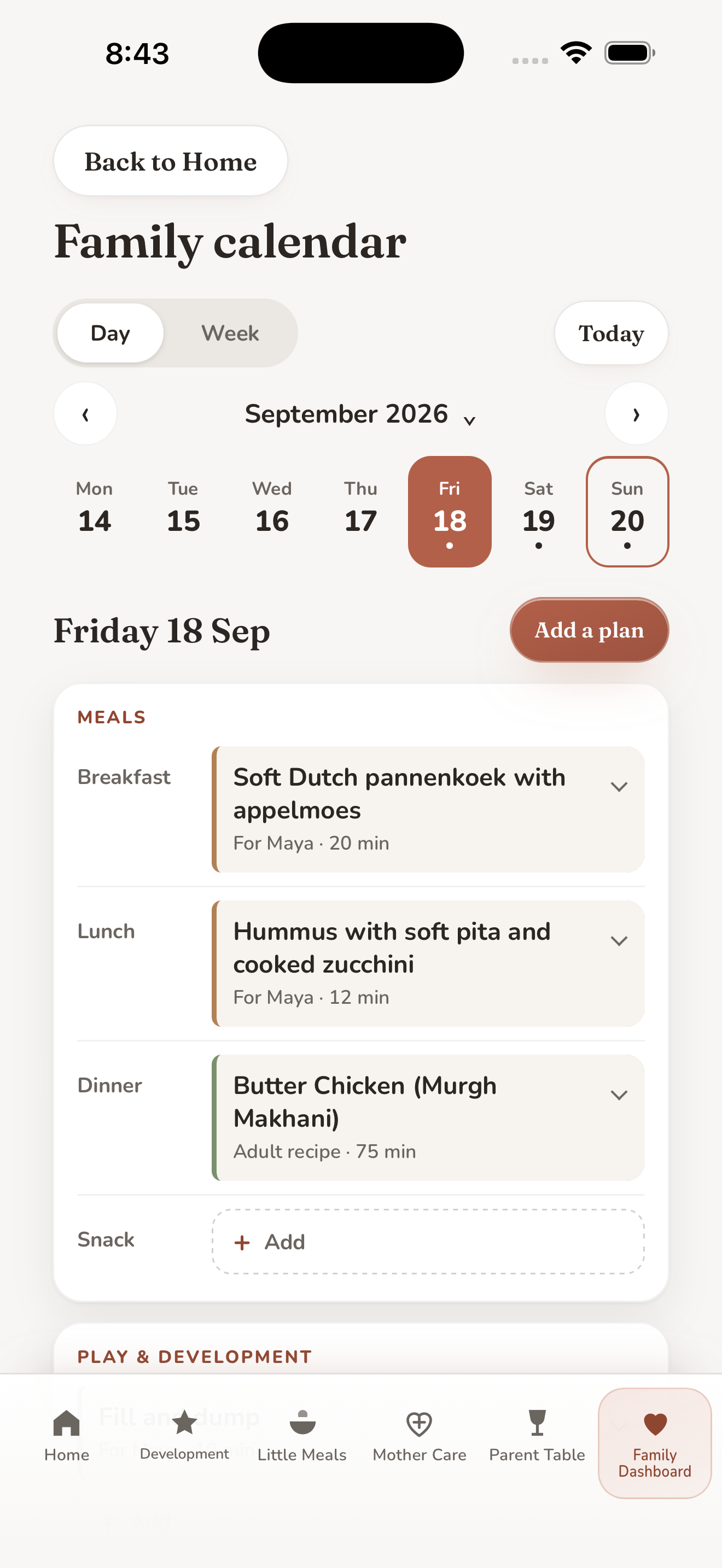
Place the ideas you choose in your calendar, with your notes and shopping.
Share a day, week or month preview as a separate copy, or use an optional sharing account to share selected plans with your family circle.
Play ideas, books and real animals to explore with your child.

Age based meal ideas, recipes, allergens and Safe prep where available.

General information from pregnancy through the first year after birth.

Adult meals, searchable recipes and shopping lists.
Profiles, cooking history, reminders, settings, backup and restore in one place.
Plan on your phone without an account. Sharing selected plans with your family circle uses an optional adult sharing account.
Private plans, child profiles and Mother Care preferences stay on this device. If you choose family circle sharing, an adult sharing account stores your email address, shared plans, messages and circle details with Google Firebase. Optional alerts use an alert registration. Apple handles subscription, purchase and restore operations separately; those checks send no family-entered data to My Family World. Book cover pictures load online from Open Library and, for some covers, Internet Archive. Read the privacy policy for details.
Mother Care includes general information, urgent warning signs and links to named official sources.
It does not diagnose, assess symptoms or replace a clinician. Named sources have not reviewed, approved or endorsed the app.
Subscription. On a fresh installation, a verified Monthly or Annual subscription is required after setup. The selected plan renews automatically unless cancelled, and you can cancel anytime in your Apple Account settings. If plans or status are unavailable, first run offers Retry and Restore Purchases only.
One calm home for a mother and her family: Mother Care, Development, Little Meals, Parent Table and Family Dashboard, in English, Arabic and Spanish. Version 1.6 adds a Family calendar. This page is also in Arabic and Spanish; the privacy and terms pages are in English and Arabic.
App Store availability: My Family World is available on the App Store for iPhone in many countries and regions, including Saudi Arabia, the United Arab Emirates and the other Gulf states, the United Kingdom, the United States, India, the countries of the European Union, Mexico and other Latin American countries. Version 2.0 is available on the App Store.
For help with setup, subscriptions, reminders, sharing, backup, the Family calendar in version 1.6 or another app feature, email msalamissa@alumni.ie.edu. Include the app version and what you were trying to do, but do not email a child’s name or private health details.
¿Usas My Family World en español? Escríbenos a msalamissa@alumni.ie.edu para recibir ayuda con la configuración, la suscripción, los recordatorios, la copia de seguridad, el Calendario familiar o cualquier otra función. Indica la versión de la app y lo que intentabas hacer, sin incluir el nombre de ningún niño ni datos de salud privados. Consulta también My Family World en español. La Política de privacidad y los Términos y condiciones de uso están en inglés.
Sharing account and invitations (version 2.0). Sharing is optional; you can plan without an account. To share, open Family calendar, then Family circle, and create a sharing account with your email. Check your inbox for the verification email, then return to the app. Forgot your password? Choose Forgot password? on the sign in screen. To add someone, choose Add someone and send the link; the link and code work for three days. If the link does not open the app, open My Family World, choose Join with an invitation and type the code. To stop sharing with someone, open their name and choose Remove from circle. To turn alerts off, open Family circle, then Account. To delete your sharing account, open Family circle, then Account, then Delete sharing account. Need help? Email us at the address above.